
Let's talk

Home Services Automation

Automation

Less repetitive work.
More room to run your business.

n8n and ManyChat workflows that answer enquiries, post content, move information between your tools and keep records, with a person deciding where it matters.

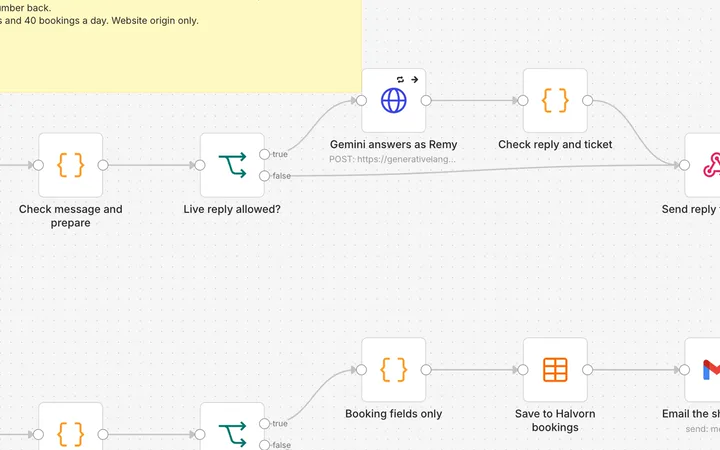
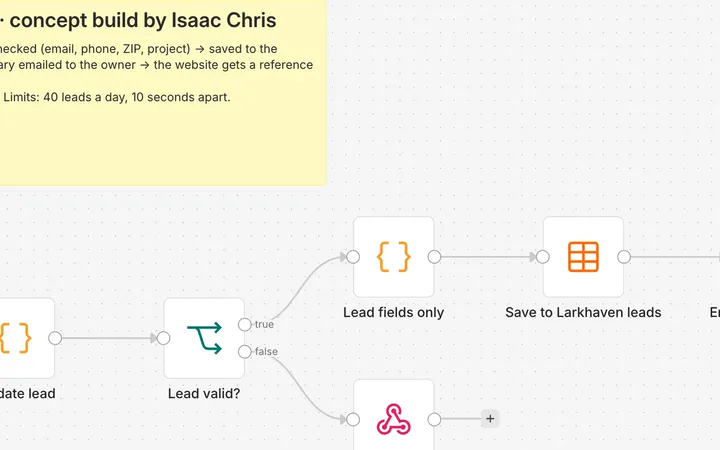
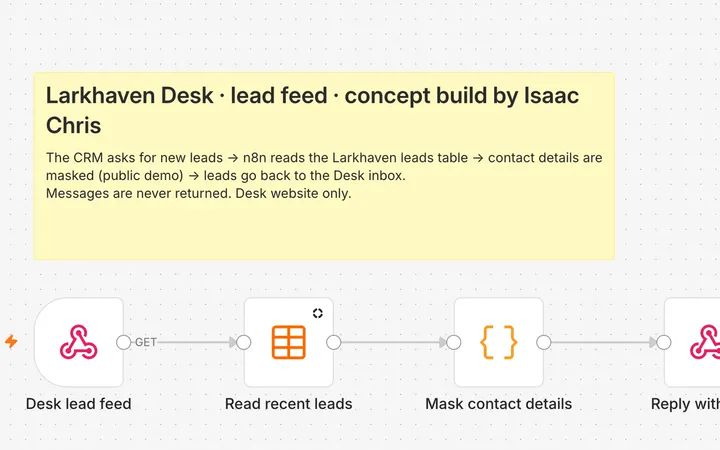
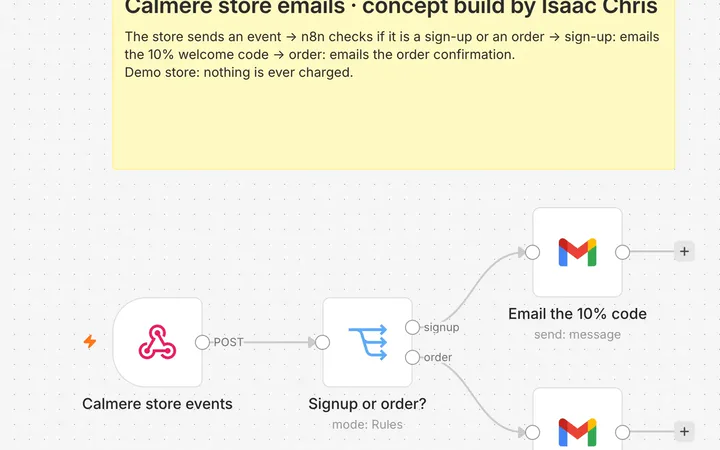
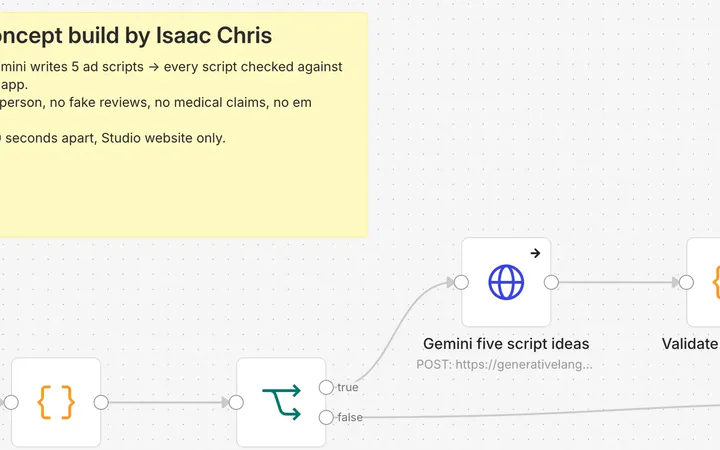
n8n canvas: schedule, find unsent row, filter, take one, audit store, combine, random account switch to ten Gmail senders, mark sent. ManyChat flow: triggers, opening message, email collection, follow checks, loan details and follow-ups. Client details blurred. n8n canvas: daily trigger, AI idea and prompts, clip and sound generation, merge, upload, nine platform posts, sheet update. n8n canvas: prompt builder, video and audio branches, Runway status checks, Creatomate merge, Drive upload, Sheets log and completion emails. n8n canvas: fetch an essay list, extract names and links, fetch texts, summarise with an AI chain, merge and clean up. Two paths. Chat: the conversation goes to Google Gemini with the shop's prices, hours and rules, and a reply plus job details come back. Booking: each booking is checked, saved to a bookings table and emailed to the owner. A website request comes in, is checked, saved to a leads table and emailed to the owner as a clean summary, in under a second. The CRM asks n8n for new website leads and gets them back with contact details masked, so the public demo never shows real visitor data. The Calmere demo store sends a webhook; n8n emails a discount code on signup or a demo order confirmation. A brief comes in, the input is checked, and Google Gemini writes five ad scripts that come back as JSON. Limited to 20 requests a day; samples are shown after that.

Outreach · Own systemShopify Leads

Drag to spin · tap the front one to open

Sound familiar?

Four problems I fix most often.

Case studies

Documented results are kept apart from intended benefits. Client work is anonymised.

01

Outreach · My own outreach system. Live since September 2026.

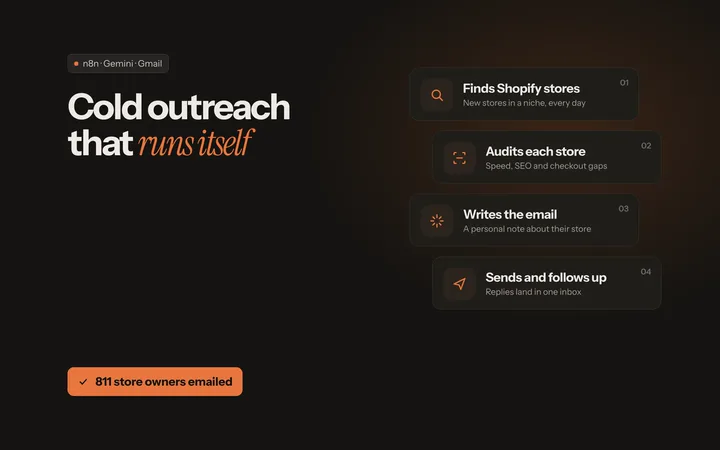
Shopify Leads: cold outreach that runs itself

Finds the next Shopify store, audits its website, sends a short first email, follows up once and alerts me when an owner replies.

Starts when

A schedule, every 5 minutes, one lead per run, so sending stays slow and personal.

The problem

I sell website redesigns and SEO to Shopify store owners. Writing to each store, chasing replies and remembering what each store needed took more time than the selling.

What happens

  1. Next leadTakes the next verified, unsent store from the Google Sheet and fixes a common scraped-email typo.
  2. Audit the storeChecks the store's mobile speed and SEO with Google PageSpeed, then reads the homepage: titles, headings, alt text, blog, ad pixels, social links and theme.
  3. Choose the pitchSEO score under 80 gets an SEO pitch. 80 or above gets a website redesign pitch.
  4. SendA short first email from one of ten Gmail inboxes, picked at random, and the sheet records who sent what.
  5. Follow upAfter 3 days with no reply, one follow-up in the same thread from the same inbox, using the store's own speed score.
  6. Watch the repliesTen inboxes are watched. Bounces are marked. A reply sends me an alert with the audit, notes on how to approach the owner and a ready-to-use reply prompt.
  7. Catch failuresIf any part fails, I get one alert email per hour at most.

You get

A personal first email per store, one follow-up, and an alert with everything I need when an owner replies.

Where a person decides

I write every reply to a real person myself. The system only starts conversations and keeps the records.

My role
Designed, built and run by me: five connected workflows.
Documented result
Live since September 2026. As of 1 October 2026: 811 store owners emailed, 171 follow-ups sent, 28 bounces caught and 12 owner replies, with no errors since 29 September.
Tools
n8n, Google Sheets, Gmail (10 inboxes), PageSpeed Insights
Screen recording: the Store Audit step running on allbirds.com (a public store, used as a test). Every step finishes green; the result shows mobile speed 44, SEO score 100 and 13 of 42 images missing alt text. The wait for Google's speed test is sped up 10x.
02

Lead capture · Client work for a mortgage and real estate business. Anonymised.

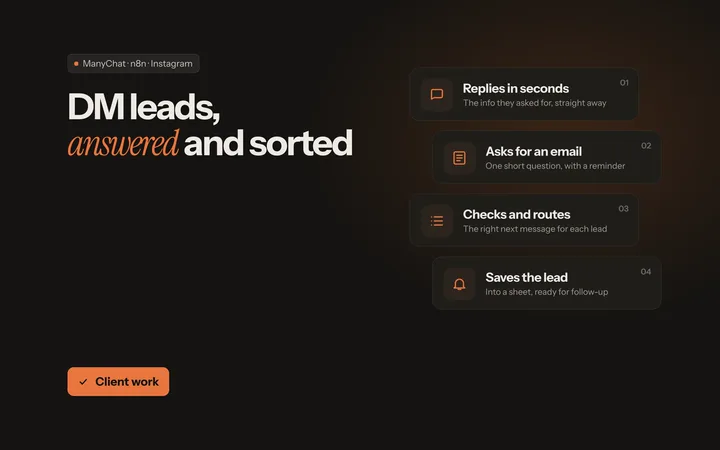
Instagram and Facebook lead pipeline

Answers every comment and DM in seconds, collects an email and passes the lead on.

Starts when

Someone comments on a post or Reel, or sends a message.

The problem

People asked about loans and listings in comments and DMs. Replies depended on someone being online, and contact details were not being collected.

What happens

  1. Instant replyAnswers straight away with the information they asked for.
  2. Ask for an emailOne short question, with a reminder if they don't answer.
  3. Check and routeConditions decide the next message, for example whether they follow the account.
  4. Send the detailsThe loan details or report they asked for.
  5. Save the leadEmail saved and tagged in ManyChat, then sent on to n8n.
  6. Follow upA polite follow-up for people who go quiet.

You get

A tagged contact with an email address, passed to n8n, and a follow-up path for everyone else.

Where a person decides

The business replies personally from there. Meta's rules limit when automated follow-ups can be sent.

My role
Designed and built the ManyChat flows and the hand-off to n8n.
Documented result
The flows shown in the screenshots. One version was published and live in ManyChat.
Intended benefit
Faster first replies and fewer enquiries left unanswered.
Tools
ManyChat, n8n, Instagram, Messenger
03

Content publishing · Own build.

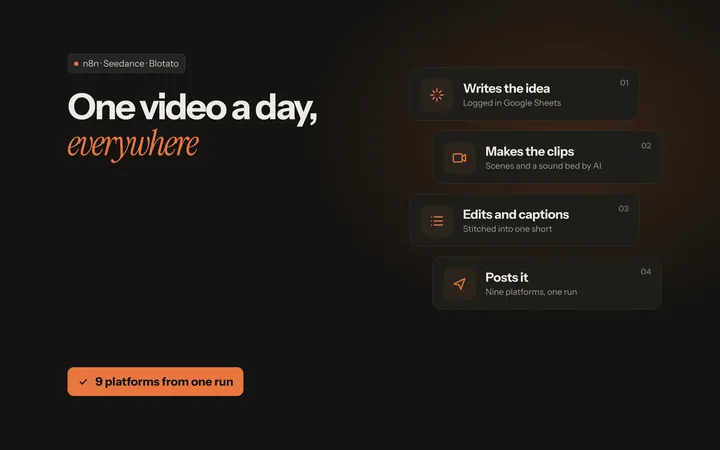
Daily short video, posted to nine platforms

Makes one short video a day and posts it to nine platforms with a single upload.

Starts when

A schedule, once a day.

The problem

Posting one video to every platform by hand takes longer than making it.

What happens

  1. IdeaAn AI step writes the idea and logs it in Google Sheets.
  2. Scene promptsA second AI step writes a detailed prompt for each scene.
  3. Clips and soundClips are generated with Seedance and a sound bed with Fal AI. The workflow waits and collects them.
  4. MergeClips and sound are stitched into one vertical video.
  5. PublishOne upload to Blotato posts it to TikTok, YouTube, Instagram, Facebook, LinkedIn, X, Threads, Bluesky and Pinterest.
  6. LogThe sheet row is marked DONE.

You get

One finished vertical video per day, posted to the selected platforms, with a log row for each.

Where a person decides

It posts without approval as built. For a business I would add an approval step. Nine platforms worked in this build; others depend on what the posting service supports.

My role
Designed and built the workflow.
Documented result
The workflow shown in the screenshot.
Intended benefit
One upload instead of nine, and a record of everything that went out.
Tools
n8n, Google Sheets, Seedance, Fal AI, Blotato
04

Content production · Built in n8n. Delivery details not public.

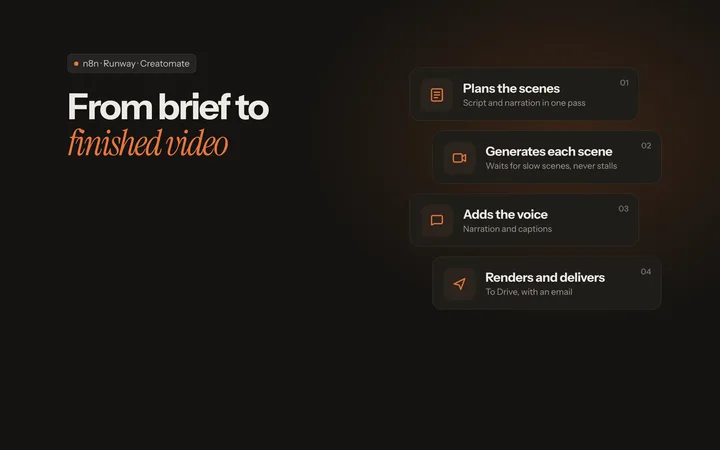
AI video production pipeline

Turns a topic into a finished, edited video and emails you when it is done.

Starts when

A content request with the topic.

The problem

Making a short video means writing, generating each scene, recording a voice and editing, every time.

What happens

  1. PlanAn AI step writes the scenes and the narration in one structured pass.
  2. ScenesEach scene is sent to Runway. The workflow waits and checks the status, so one slow scene doesn't block the rest.
  3. VoiceThe narration is turned into one voiceover track.
  4. EditA Creatomate template merges the scenes and the voice into the final cut.
  5. DeliverThe video is saved to Google Drive and logged in Google Sheets.
  6. ReportAn email says whether the run succeeded.

You get

A finished video in Drive, a log row, and an email either way.

Where a person decides

Someone should watch each video before it is published. Generation services fail sometimes, which is why the status checks and the email exist.

My role
Workflow design and build.
Documented result
The workflow shown in the screenshot.
Intended benefit
A repeatable way to turn a topic into a draft video.
Tools
n8n, OpenAI, Runway, Text to speech, Creatomate, Google Drive, Google Sheets, Gmail
05

Troubleshooting · Several client jobs.

Fixing workflows that keep failing

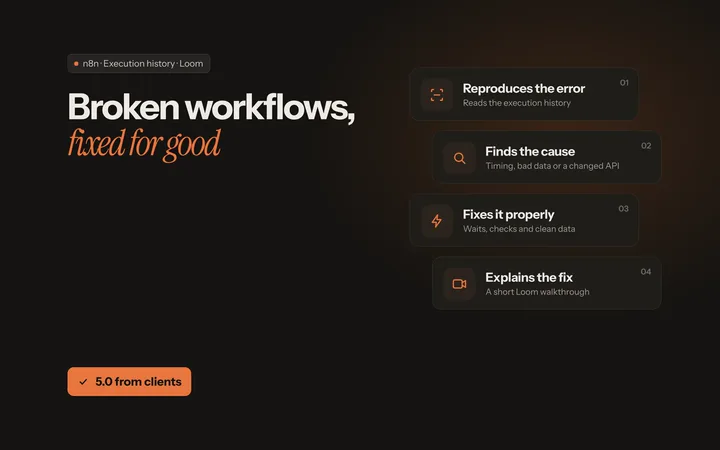
Finds why an existing workflow fails, fixes the cause and explains it in plain words.

Starts when

A failing workflow and access to the client's n8n.

The problem

Clients came with n8n workflows that failed during generation, merging or publishing, or produced messy data.

What happens

  1. ReproduceRun it again and read the execution history to find the step that breaks.
  2. Find the causeUsually timing, a changed API response, bad input data or duplicates.
  3. FixWaits and status checks, cleaner data, duplicate removal, better handling of long inputs.
  4. TestNormal inputs plus the awkward ones that broke it.
  5. ExplainA plain explanation of what was wrong, sometimes as a short video.

You get

A working workflow and an explanation the client can keep.

Where a person decides

Workflows that call outside services still need someone to check them now and then. Services change.

My role
Diagnosis, fixes and testing.
Documented result
Client reviews, quoted below.
Tools
n8n, Execution history, Loom

“He quickly understood what was wrong with my n8n AI video automation, fixed the workflow properly, and explained everything clearly in a loom video also.”

pennywise_01 · United States · n8n AI video automation

“Isaac was a huge help in building my AI video workflow on n8n that kept failing during generation, merging, and publishing.”

xavier_x1 · United States · AI video workflow

“He corrected the article-link extraction and text-cleaning nodes, removed duplicate URLs, and improved the handling of long essays.”

michael_david72 · United States · n8n research workflow

Also built

Smaller builds. Several show credentials that were not connected, so they are not presented as live services.

What I can build for you

  1. 01

    Social media and content automation

    You make one piece of content, then spend an hour reposting it everywhere.

    • Scheduled or triggered publishing to the platforms your posting tool supports
    • Content log in Google Sheets with status for every post
    • AI-assisted drafts, captions or video steps where they help
    • An optional approval step before anything goes live

    This is the publishing system. Content strategy, writing your posts and community management are not included.

  2. 02

    Lead and customer communication workflows

    Enquiries arrive in DMs, comments and forms, and some of them never get an answer.

    • Instant replies to comments and DMs (ManyChat)
    • A few short questions to collect details and qualify
    • Leads saved to a sheet or CRM, with you notified
    • Follow-ups for people who go quiet

    A person still takes the conversation from there. Meta's messaging rules decide when automated messages can be sent.

  3. 03

    Internal business workflows and integrations

    Your team copies the same information between email, sheets and other tools by hand.

    • Connections between the tools you already use
    • AI steps that sort, label or summarise information
    • Assistants that answer from your own documents
    • Notes on where the data goes and who sees it

    AI steps can be wrong. I build in checks and show where a person should look before acting on the output.

  4. 04

    Automation troubleshooting and improvement

    An automation you rely on keeps failing, and nobody is sure why.

    • Find the failing step from your execution history
    • Fix the cause: waits, retries, data clean-up, duplicates
    • Test with real and awkward inputs
    • A plain explanation of what was wrong, often as a short video

    I work in your account with access you grant, and I don't need your passwords in chat.

How it works

  1. 01

    Map the workflow

    We go through the task as it happens today: where it starts, who touches it, which tools hold the data, and what a good result looks like.

  2. 02

    Design the logic

    A simple plan of every step, every decision and every hand-off to a person. You approve it before I build.

  3. 03

    Build and test

    Built in your accounts. Tested with normal inputs, errors, duplicates, missing fields and the points where a person takes over.

  4. 04

    Document and hand over

    A short guide and walkthrough: what it does, where to look when something fails, and what to check now and then.

Kind words

Client reviews

5 out of 5 stars

He quickly understood what was wrong with my n8n AI video automation, fixed the workflow properly, and explained everything clearly in a loom video also.

pennywise_01United States · n8n AI video automation

5 out of 5 stars

Isaac was a huge help in building my AI video workflow on n8n that kept failing during generation, merging, and publishing.

xavier_x1United States · AI video workflow

5 out of 5 stars

Isaac was incredibly helpful with the finished workflow and explaining what was causing the issues. Communication was clear, professional, and patient throughout.

lucy_heavensUnited States · n8n AI agent

5 out of 5 stars

He corrected the article-link extraction and text-cleaning nodes, removed duplicate URLs, and improved the handling of long essays.

michael_david72United States · n8n research workflow

Tools

n8n / ManyChat / Creatomate / Google Sheets / Gmail / Google Drive / Blotato / OpenAI / Gemini / Telegram / WhatsApp / PageSpeed Insights